Ship faster. Stay traceable.
See the full AI squad in action. Each demo walks a real workflow end-to-end, with AI roles coordinating across spec, design, code, and tests, so your team ships faster with a complete decision trail.
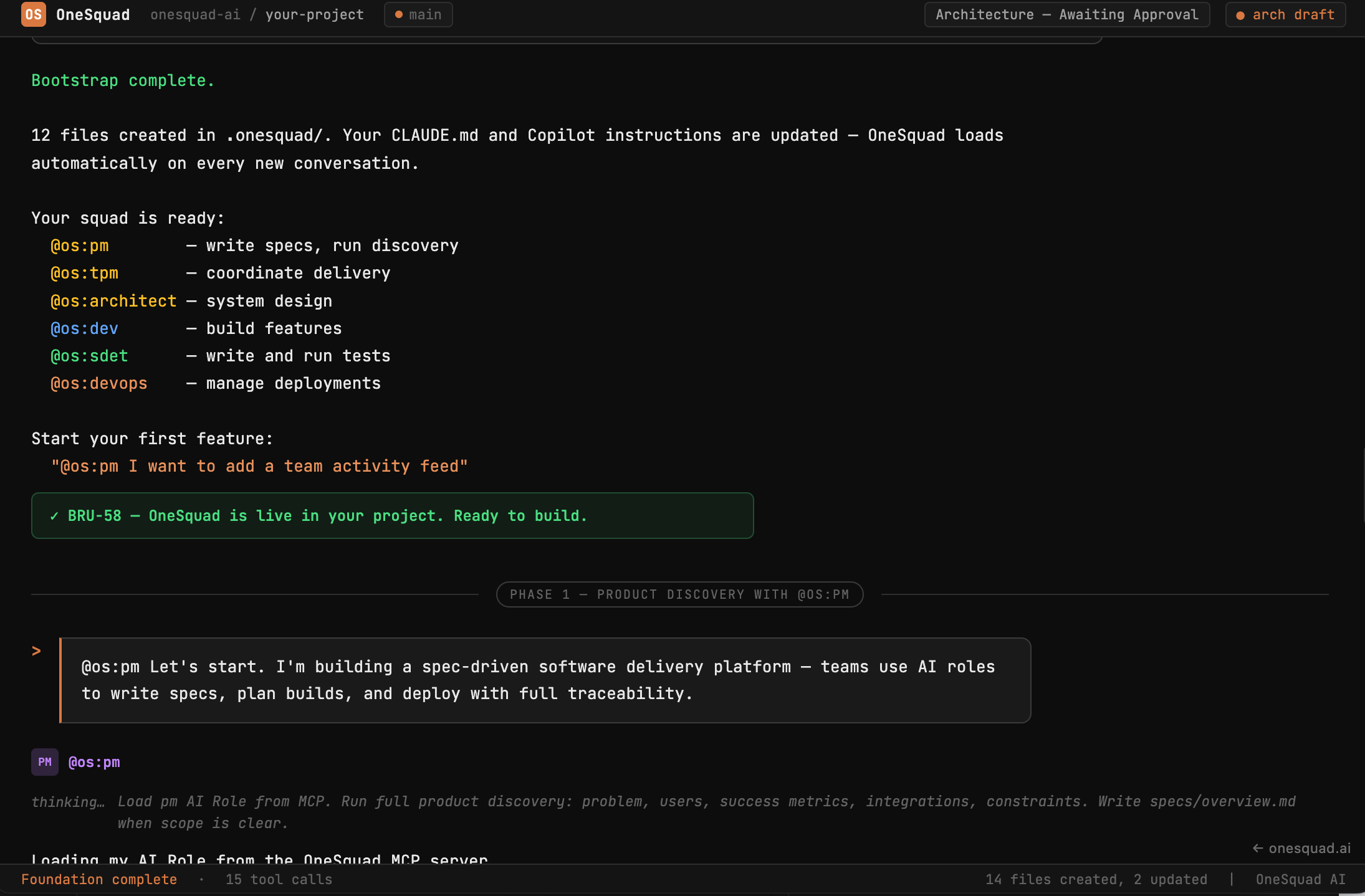
From zero to a structured project
Watch the full bootstrap flow: a single MCP command provisions the .onesquad/ workspace directly from the server. Then @os-pm leads Product Discovery, turning raw intent into structured requirements, and @os-architect drives System Design, proposing a stack and architecture before a line of code is written.
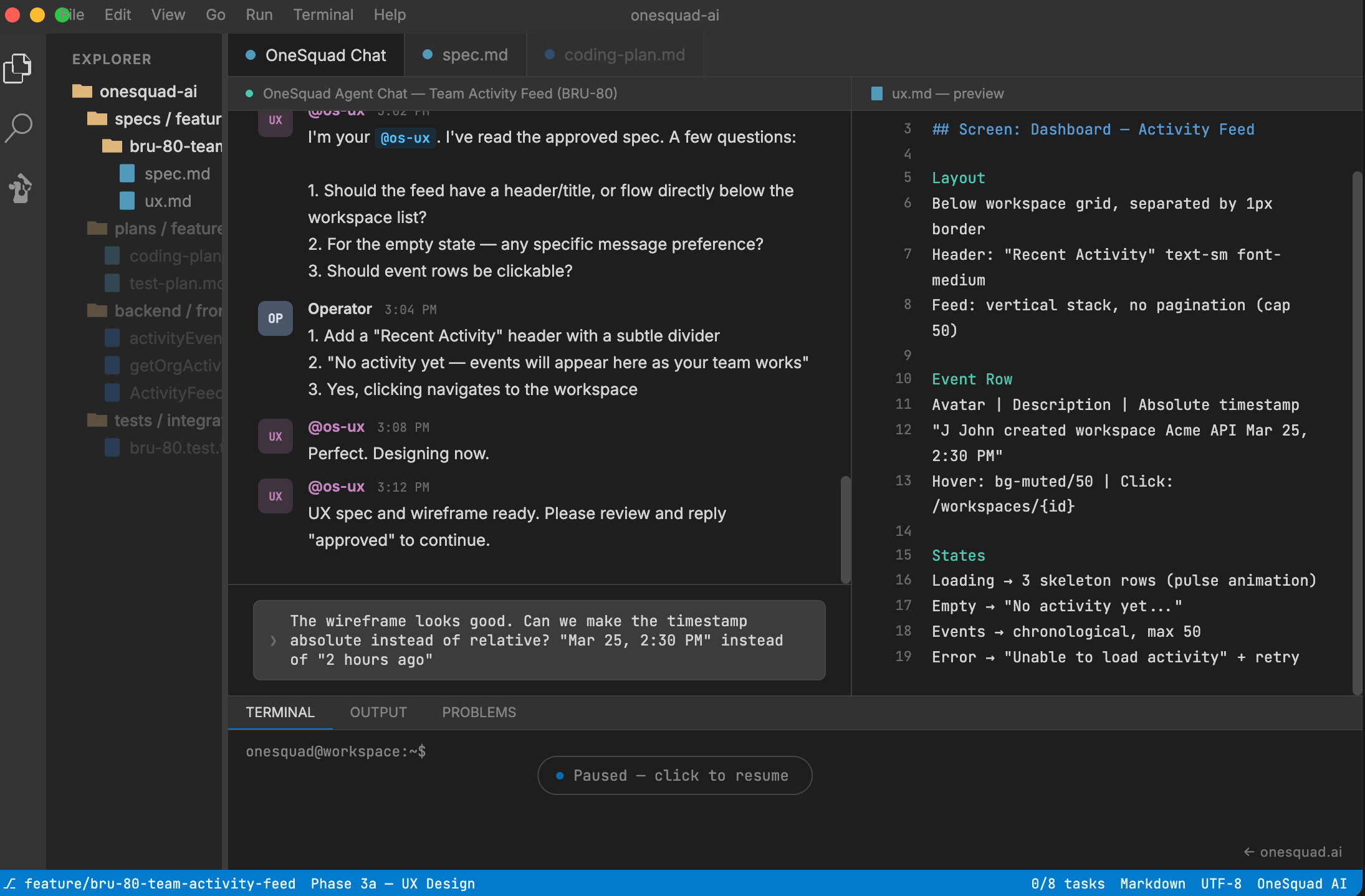
Ship a feature end-to-end
A Jira ticket becomes a spec, a plan, working code, integration tests, and a production deploy. @os-tpm coordinates the entire workflow, sequencing each specialist role as a sub-agent and holding the gate between phases, with the human operator in the loop at every approval.
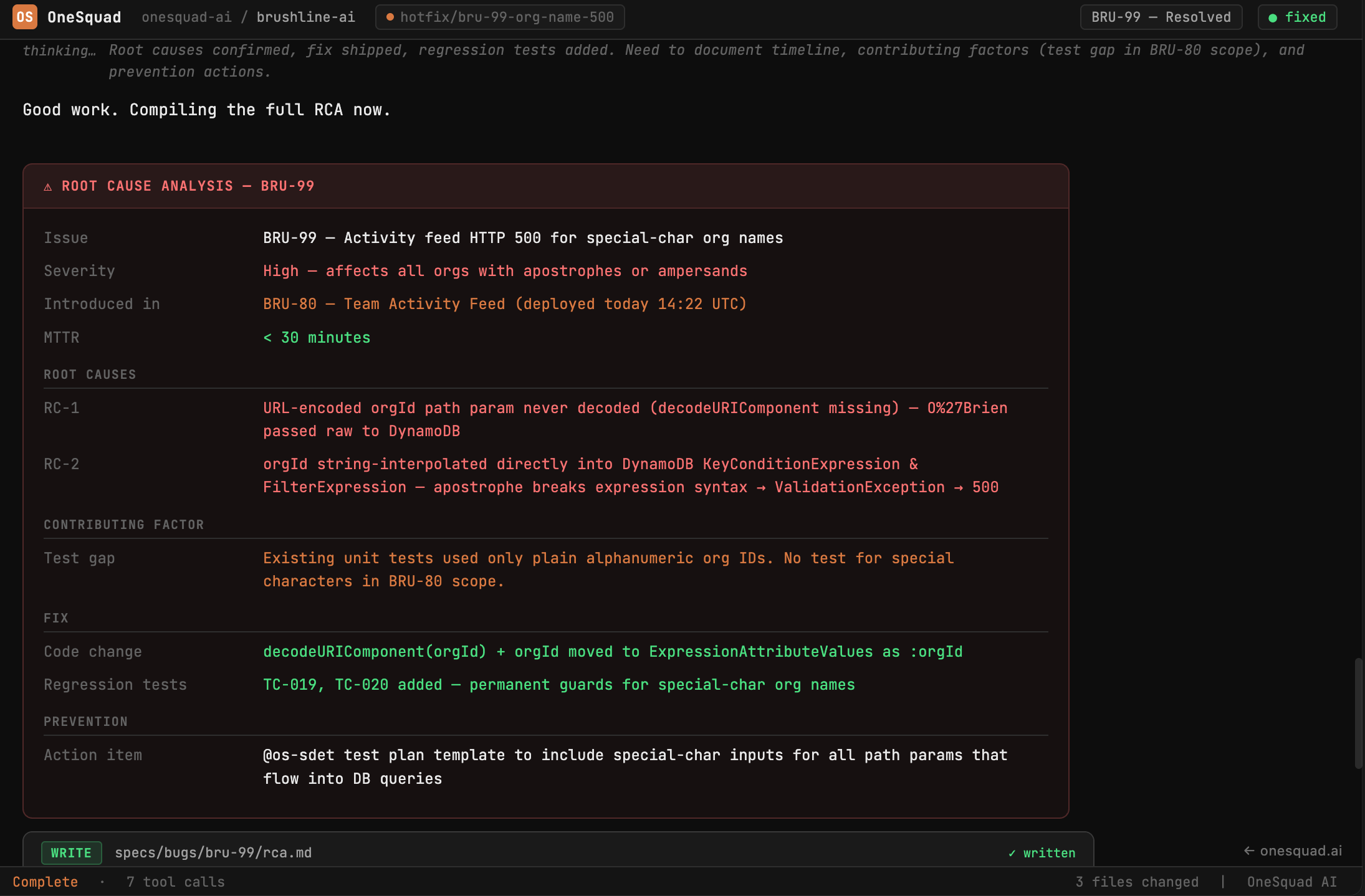
Triage, RCA, and resolution
A production incident comes in. @os-tpm coordinates triage, dispatching each role as a sub-agent at the right moment. @os-sdet reproduces the bug and narrows the blast radius. @os-dev performs a structured Root Cause Analysis, documenting the failure mode, contributing factors, and fix rationale in a spec-traced RCA doc. @os-devops confirms the fix is deployed and regression-proof.
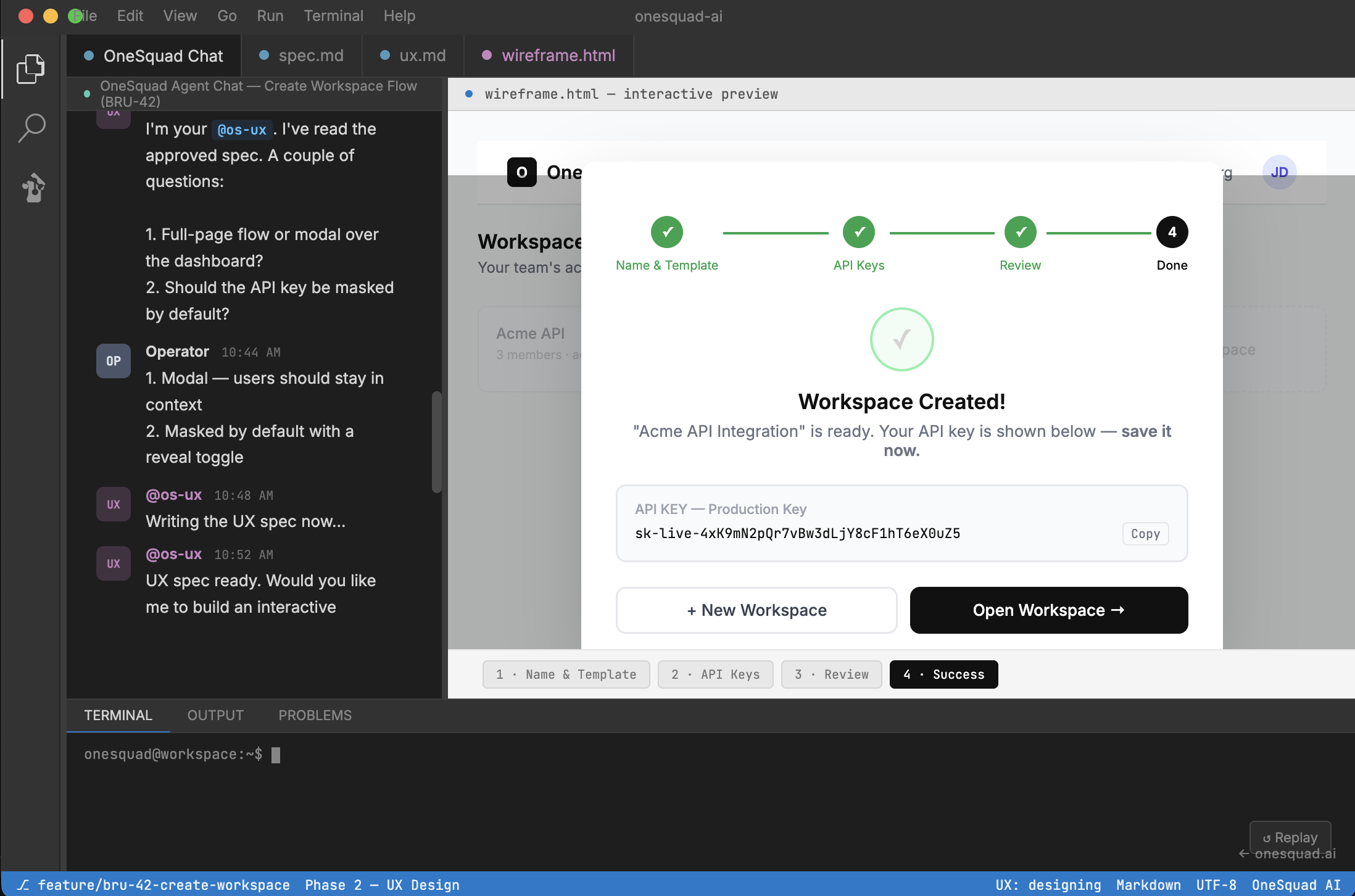
From intent to interactive wireframe
Watch @os-pm spec out a Create Workspace flow with API key generation, then @os-ux write a full UX spec and build a 4-state interactive wireframe — all in-editor. After the demo ends, explore every state of the wireframe directly in the preview pane.
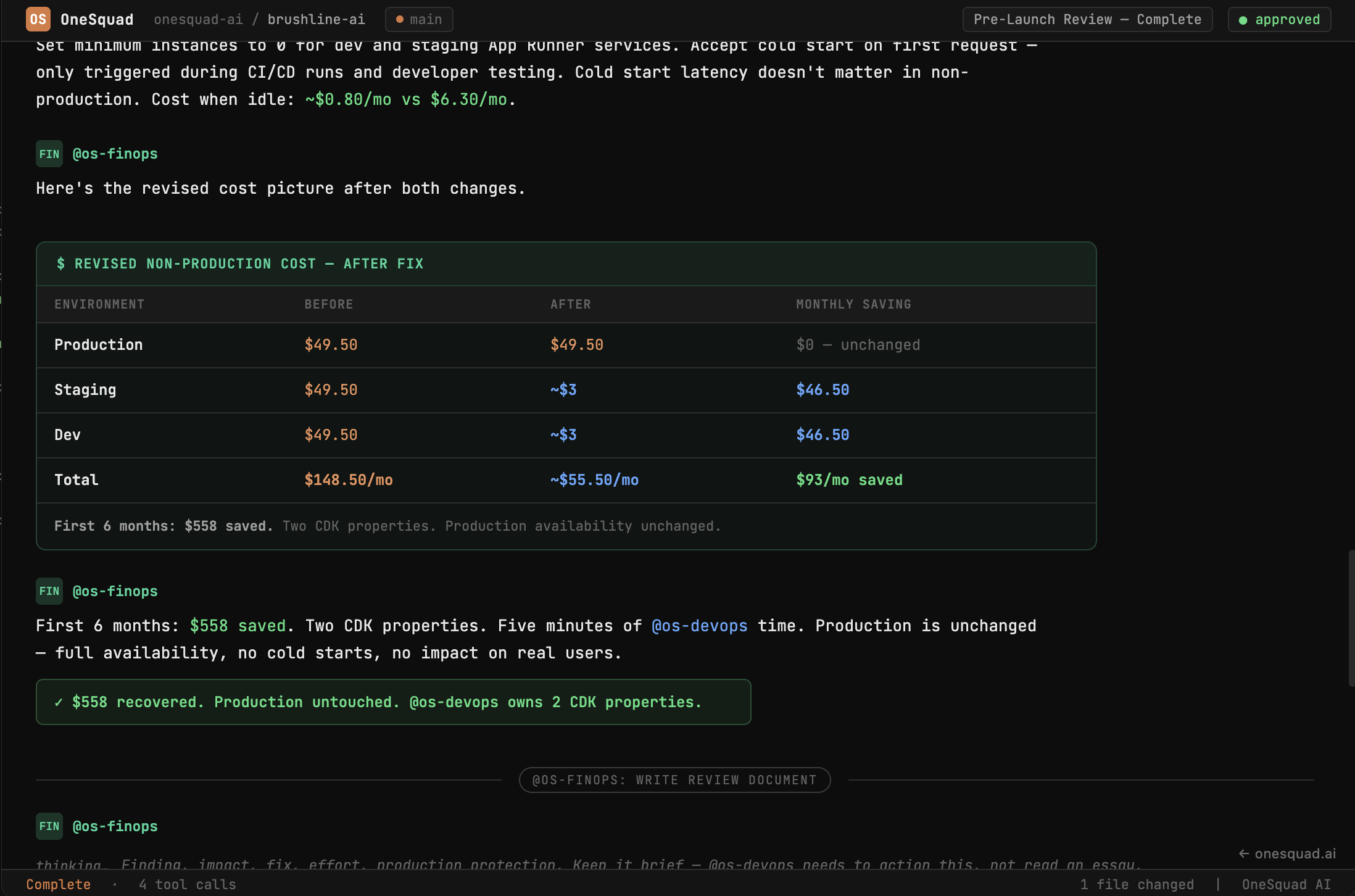
The $558 you haven't spent yet
A bootstrapped team is about to launch. @os-finops reads the architecture, spots that dev and staging are provisioned identically to production — always on, serving zero users. Two CDK properties later, $558 is back in the budget before the first user signs up.
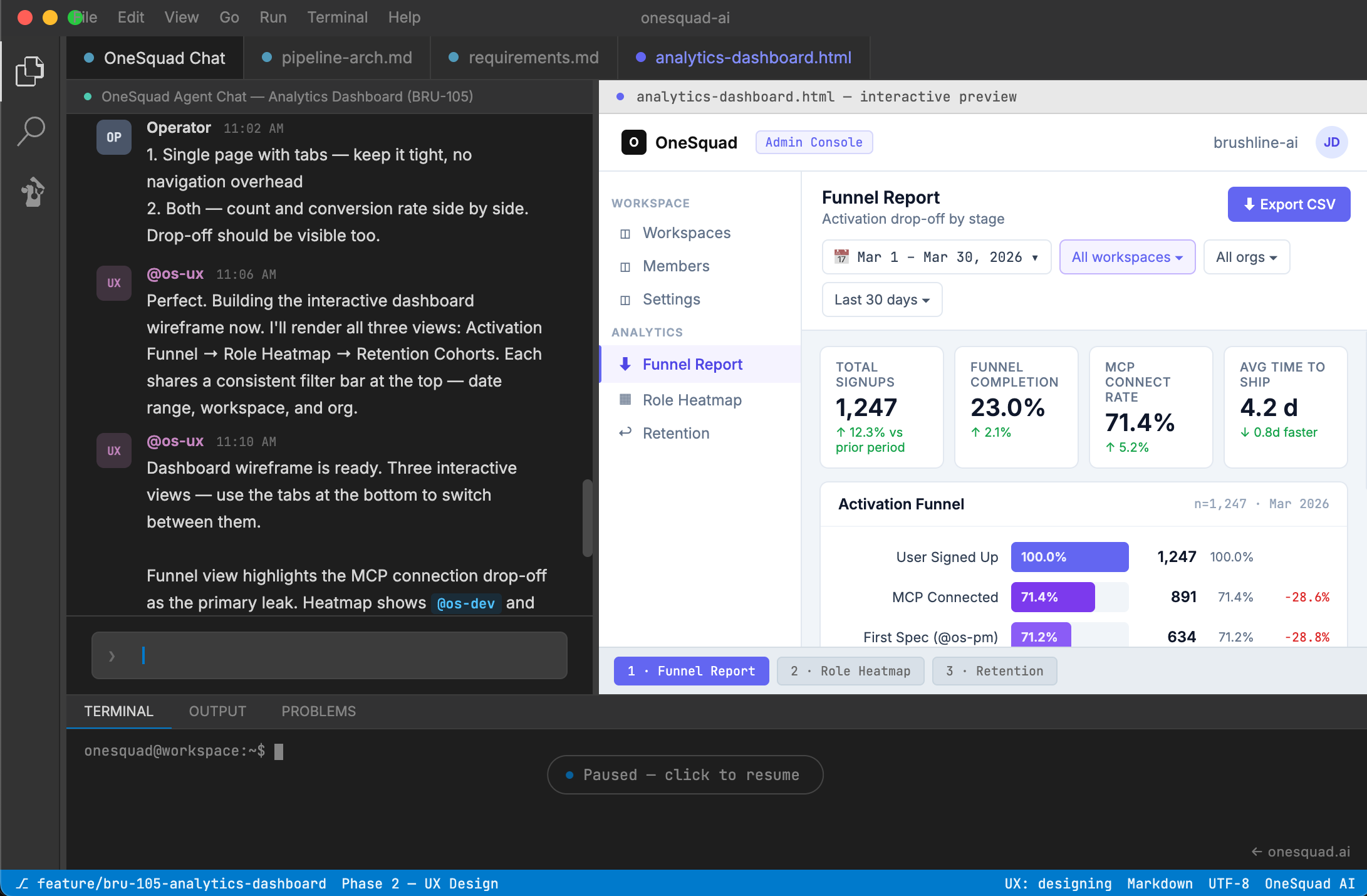
From raw events to live funnel & heatmap
@os-analytics designs a near real-time event pipeline — DynamoDB Streams → S3 micro-batches → Iceberg → Athena — then works with @os-ux to build an interactive analytics dashboard embedded in the admin console, complete with an activation funnel, role usage heatmap, and retention cohorts.
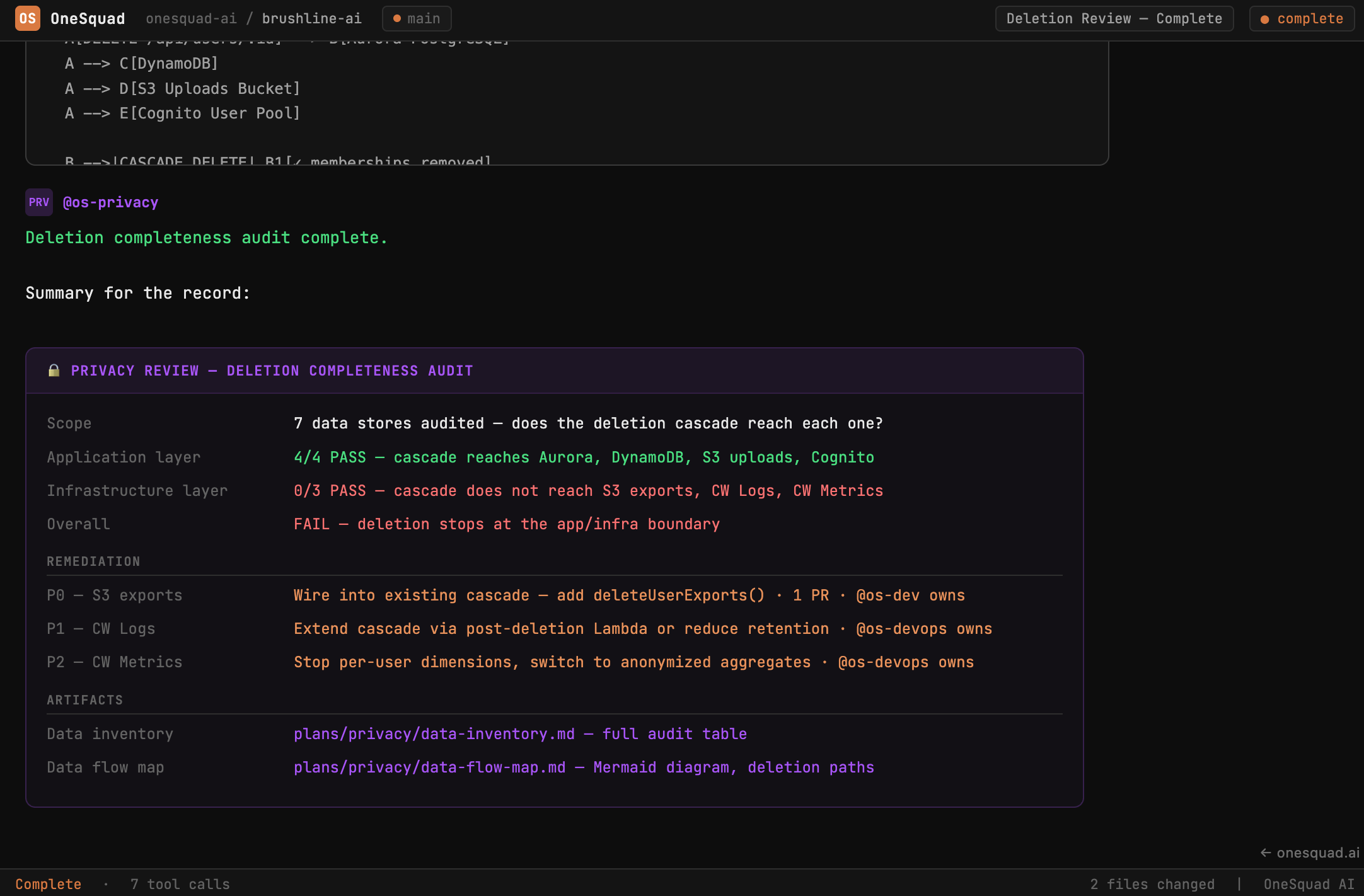
Where the deletion cascade breaks
@os-privacy maps every data store, audits each for a working deletion mechanism, and finds that the application layer is clean but the cascade stops at the infrastructure boundary — three stores unreached. Produces a full data inventory and Mermaid flow map showing exactly where deletion breaks.